
Practical updates that drive visibility and phone calls
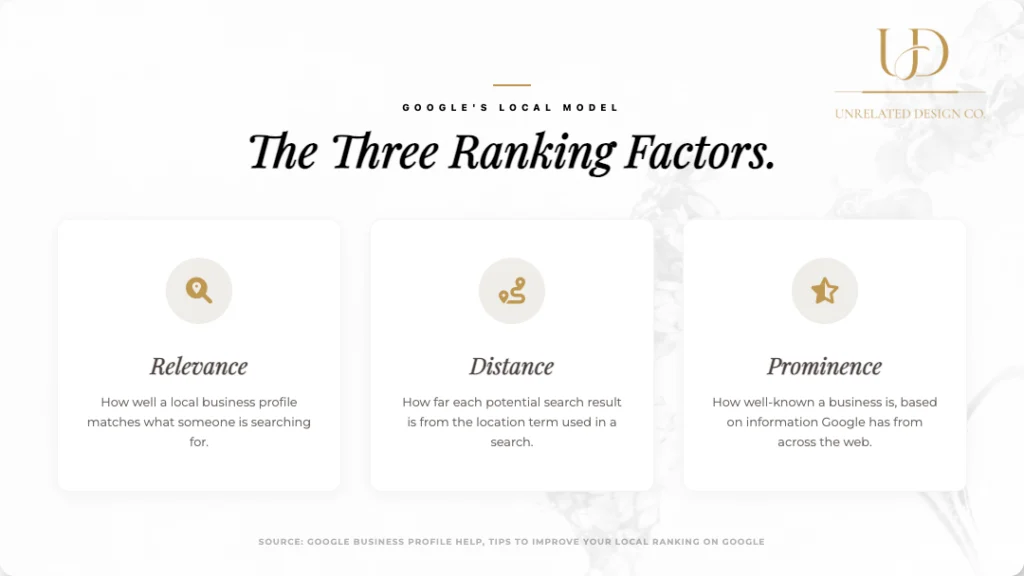
Google Business Profile Management matters in 2026 because Google still runs local results on relevance, distance, and prominence, and your profile feeds all three. Google says it directly in its own local ranking factors help doc.
If your GBP feels “done,” you are probably leaving calls on the table. Most profiles fail due to small, fixable issues: wrong category, thin service offerings, weak photo library, stale posts, and sloppy review handling.
Build My Custom Package | Google Business Profile Management
Quick answer
Pick the right primary category, build a complete services list, upload real photos on a steady cadence, publish simple updates weekly, ask for reviews the right way, and stop doing the common stuff that triggers edits, suspensions, or review loss.
TLDR
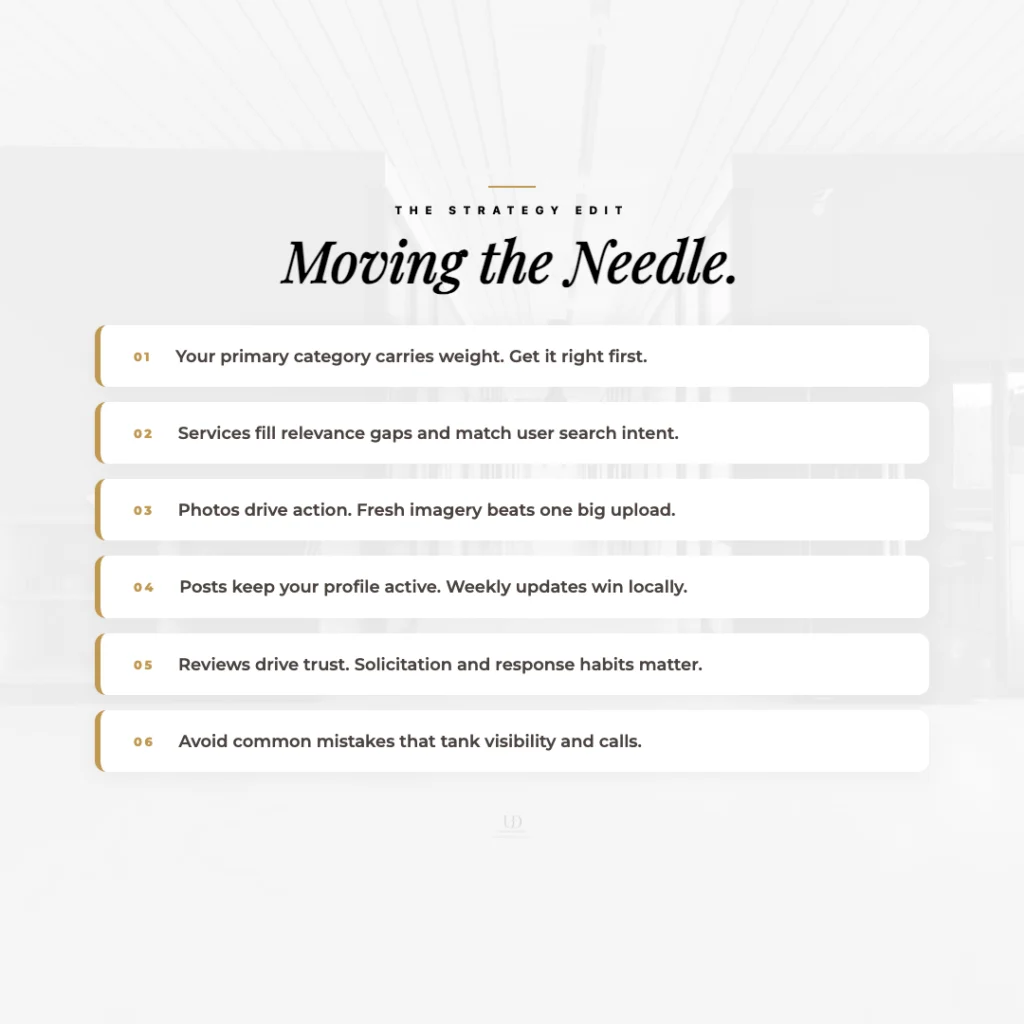
- Your primary category carries weight. Get it right first.
- Services fill relevance gaps and match search intent.
- Photos drive actions. Fresh photos beat one big upload.
- Posts keep your profile active. Weekly wins for most brands.
- Reviews move trust and conversions. Solicitation rules matter.
- Common mistakes quietly tank visibility and calls.
Start with what Google actually rewards
Google does not publish a checklist of ranking hacks. It does explain the model: relevance, distance, and prominence. You can influence relevance and prominence. You cannot control distance unless you open a new location. See Google’s own relevance distance prominence explanation.
This article focuses on updates that improve relevance and prominence while also making real customers call you.
1) Categories: the fastest win that also breaks profiles
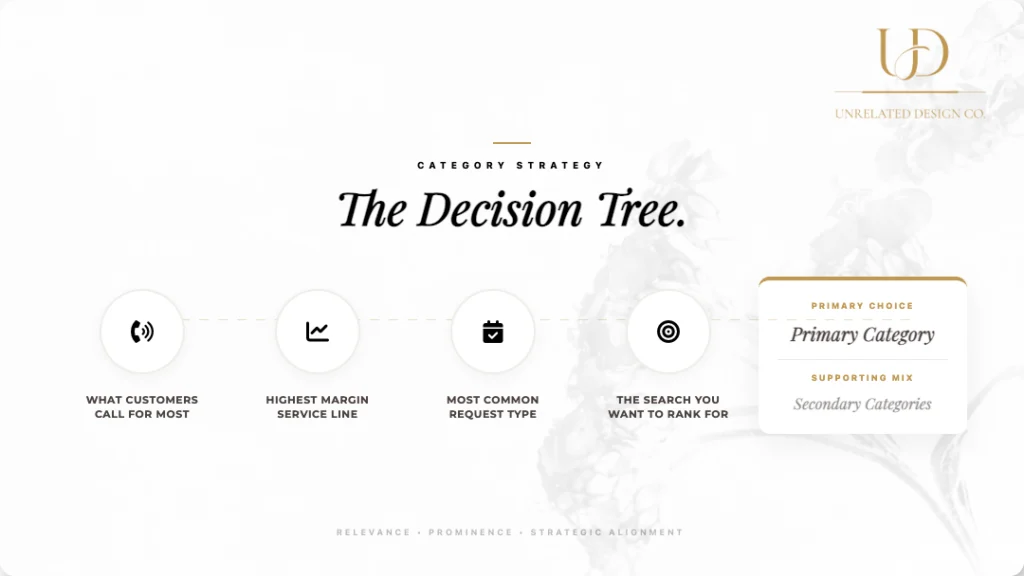
Your categories tell Google what you are. Google states that categories affect local ranking, so treat this like a business decision, not a vibe decision. Use the official guidance on managing business categories.
What to do
- Choose the most specific primary category that matches what you sell day to day.
- Add only relevant secondary categories. Do not pad.
- Match categories to your highest margin, most common calls.
Common mistake
Picking a broad primary category because it “covers everything.” It usually weakens relevance for the searches that pay you.
2) Services: build relevance with the language customers use
Google wants you to list what you offer. It even markets the feature as a way to “offer your services” directly inside the profile. That is straight from the Google Business Profile product info.
What to do
- Fill the services section with your real service list, not marketing slogans.
- Use plain service names that customers search for.
- Write short descriptions that explain what is included and who it is for.
Common mistake
Leaving services empty or listing three vague items. That forces Google and the customer to guess. Guessing kills calls.
3) Photos: the most ignored call driver
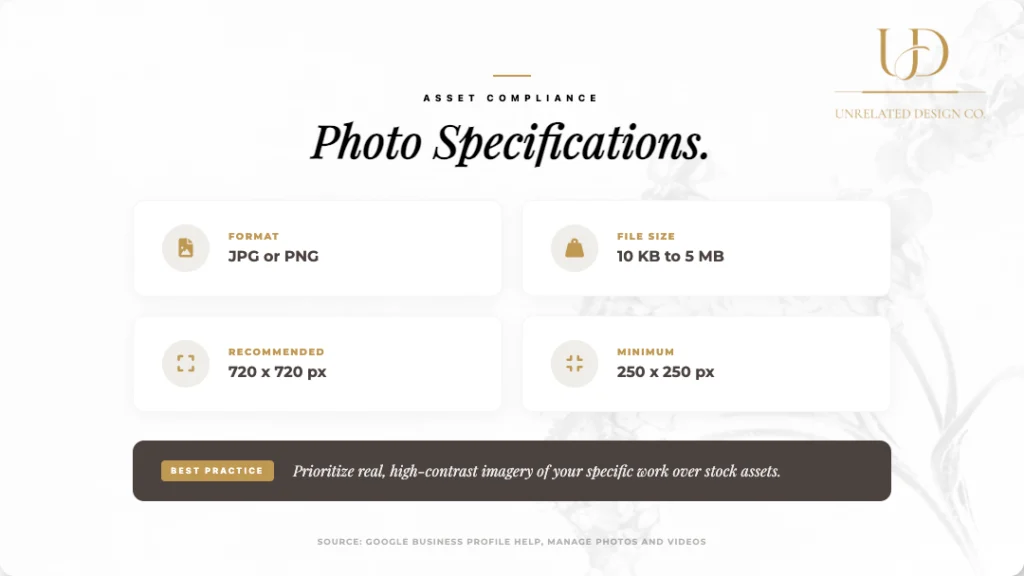
Photos influence clicks, direction requests, and calls because they reduce risk. Google also has clear photo requirements, which tells you it takes the media seriously. Follow the official photo guidelines for format and quality.
What to do
- Upload a steady mix: exterior, interior, team, work, equipment, finished results.
- Add new photos regularly. Fresh beats perfect.
- Use real images, not stock.
Common mistake
One big upload, then nothing for months. It makes your profile look abandoned.
4) Posts cadence: simple, consistent, and not spammy
Posts do not need to be fancy. They need to be consistent and compliant. Google publishes a specific post content policy, so do not treat GBP like a social free-for-all.
What to do
- Post weekly for most local businesses.
- Rotate content types: offer, proof, project, FAQ, seasonal reminder.
- Use one clear action: call, request a quote, book, or get directions.
Common mistake
Posting daily junk or copying your Instagram captions. GBP is not built for that.
If your GBP is solid but rankings still stall, Local SEO is usually the missing piece
5) Reviews: the trust lever that gets businesses in trouble
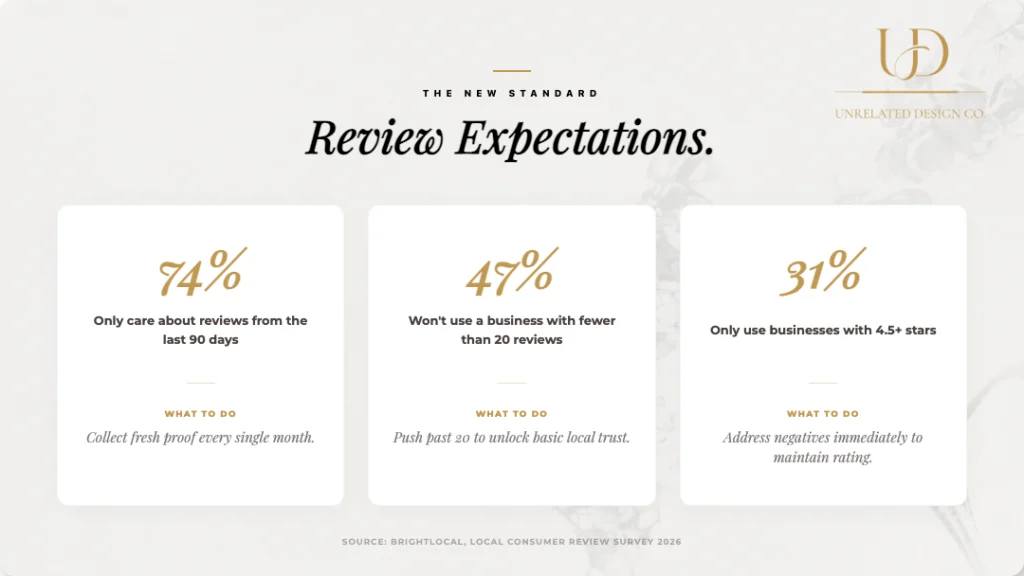
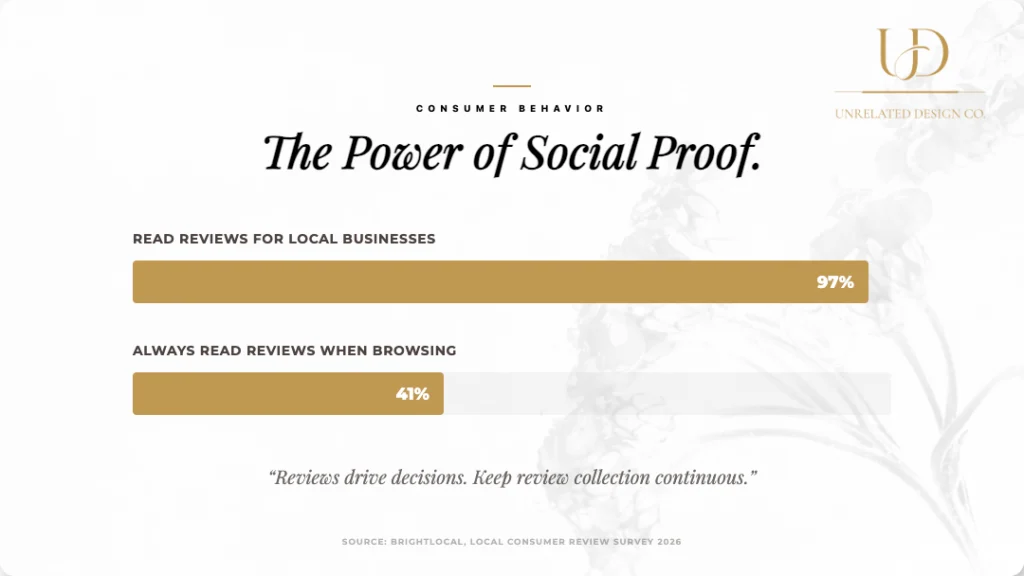
Reviews influence conversions and prominence, but you have to play it clean. Google has tightened language on solicitation behavior, and industry reporting has tracked the updates. See the summary of the recent policy wording in review policy changes, then follow the FTC guidance too if you do anything that smells like incentives. Start with the Consumer Reviews Rule FAQs.
What to do
- Ask every happy customer, not only your favorites.
- Make it easy: short link, short ask, no pressure.
- Reply to reviews like a human. Thank, address, invite offline resolution.
Common mistake
Review gating, incentives, or pushing customers to post on site. Those patterns get messy fast.
Common GBP mistakes that quietly kill visibility
- Keyword stuffing your business name. It risks edits, suspensions, and loss of trust. Follow the official business representation guidelines.
- Wrong service area setup for service businesses.
- Inconsistent phone number, hours, or address across the web.
- No photos, or photos that do not show the work.
- No posts for months, then a burst of spammy activity.
- Ignoring negative reviews or responding defensively.
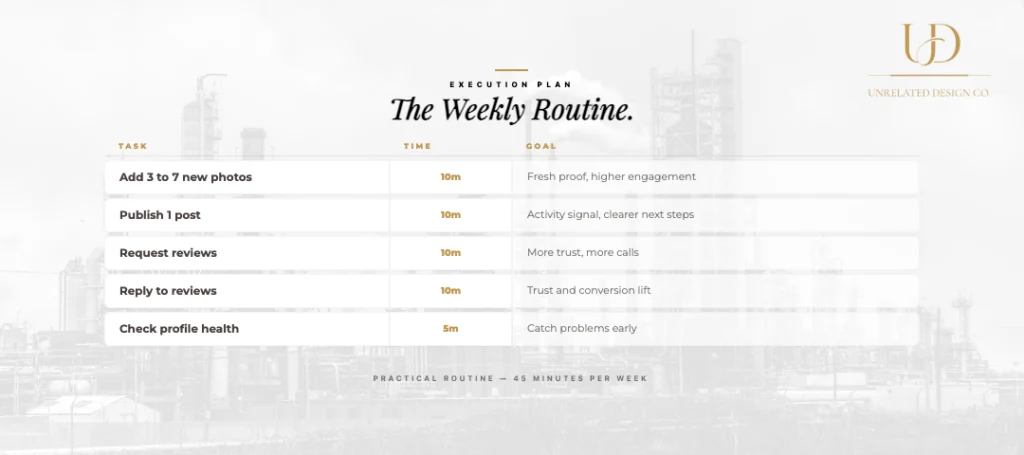
A practical weekly routine that works
| Task | Time | Goal |
| Add 3 to 7 new photos | 10 minutes | Fresh proof, higher engagement |
| Publish 1 post | 10 minutes | Activity signal, clearer next steps |
| Request reviews from recent customers | 10 minutes | More trust, more calls |
| Reply to reviews | 10 minutes | Trust and conversion lift |
| Check edits and profile health | 5 minutes | Catch problems early |
Your competitors will not outdesign you. They will out-execute you. If you want more calls from Maps and local search, Google Business Profile Management plus Local SEO is the combo that actually moves results.
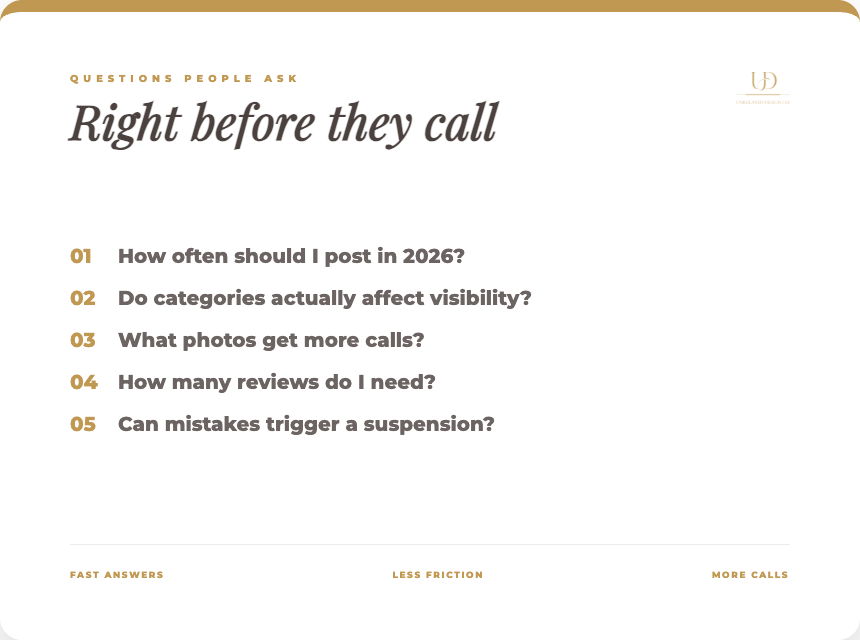
Questions people ask right before they call
These are the exact things prospects check when deciding whether you are legit, available, and worth their time. If your profile does not answer them fast, they call someone else.
How often should I post on Google Business Profile in 2026
Weekly is the most practical cadence for most local businesses. It keeps the profile active without turning it into spam. Rotate simple posts, such as a recent job, an offer, an FAQ, or a seasonal reminder.
Do categories really affect visibility?
Yes. Categories help Google understand what you are and match you to searches. Start with the most specific primary category that fits your core service, then add only a few secondary categories that are truly relevant.
What photos should I upload to get more calls?
Use real photos that reduce risk. Show your exterior, team, work-in-progress, finished results, equipment, and anything that proves you actually do the work. Add new photos consistently, rather than doing a single big upload and then going silent.
How many reviews do I need to compete locally?
There is no magic number that applies everywhere. You need enough recent, relevant reviews to look active and trusted compared to the businesses ranking around you. Focus on steady collection and strong responses, not one-time bursts.
Can Google suspend my profile for mistakes?
Yes. Keyword stuffing your business name, using a fake address, misrepresenting your location, or repeatedly violating content policies can trigger edits, suspensions, or lost visibility. Follow Google’s business representation rules and keep your details consistent.
Should I respond to every review?
Yes. It builds trust and shows you are active. Thank positive reviewers, then keep the response short. For negative reviews, stay calm, address the issue, and invite offline resolution.
If your Google Business Profile isn’t generating calls, stop poking at it randomly. Get a managed system that covers categories, services, photos, posts, reviews, and the local SEO support that actually lifts rankings. Build My Custom Package | Google Business Profile Management | Local SEO